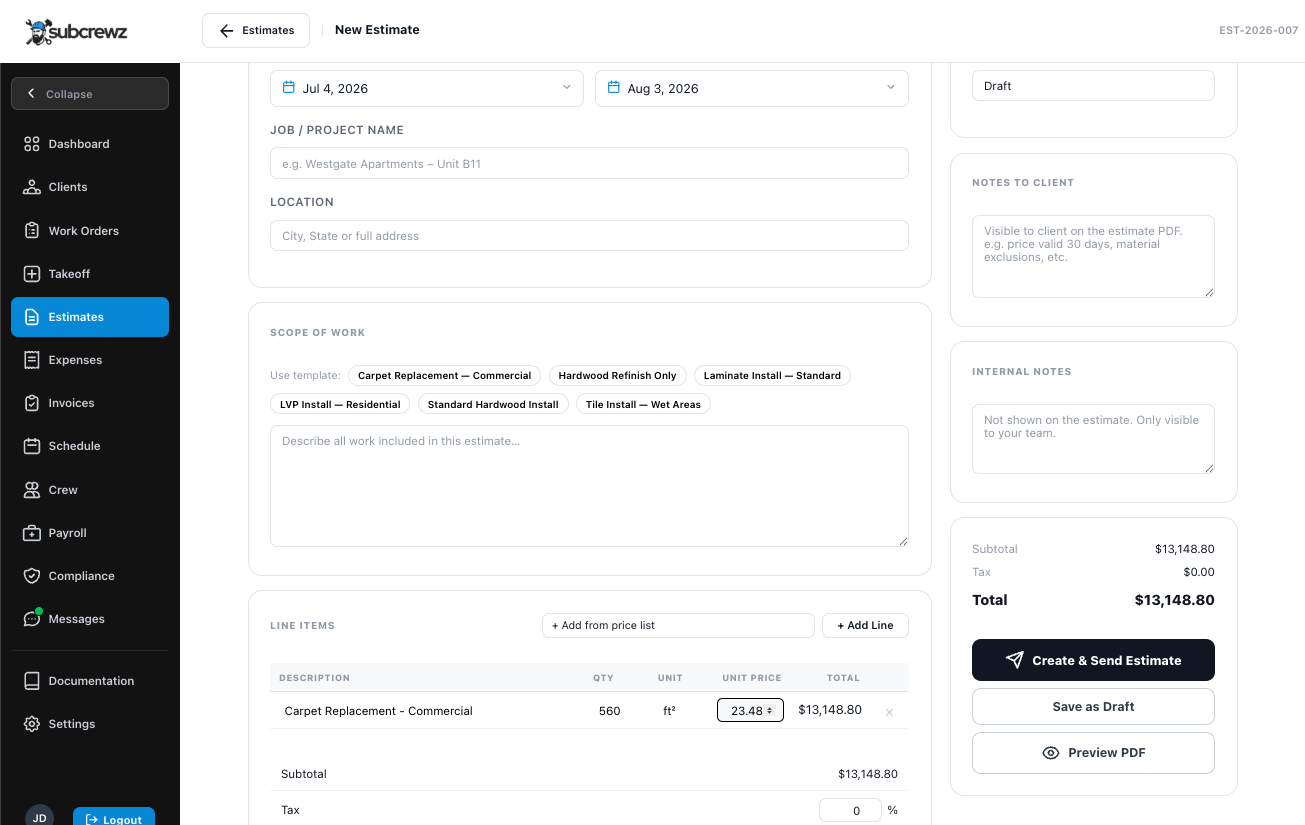
Work Orders
Every job tracked from new to paid.
Create every job yourself and track it from the first day to the final payment, with filters and a map view so you always know what's where.
- Filter by category, price range, and location
- Full job detail: location, scope, dates, price, notes
- Attach blueprints, before & after photos, signed docs
- Google Maps integration for job site navigation
- Quick actions right from the list: View, Takeoff, Estimate, Archive
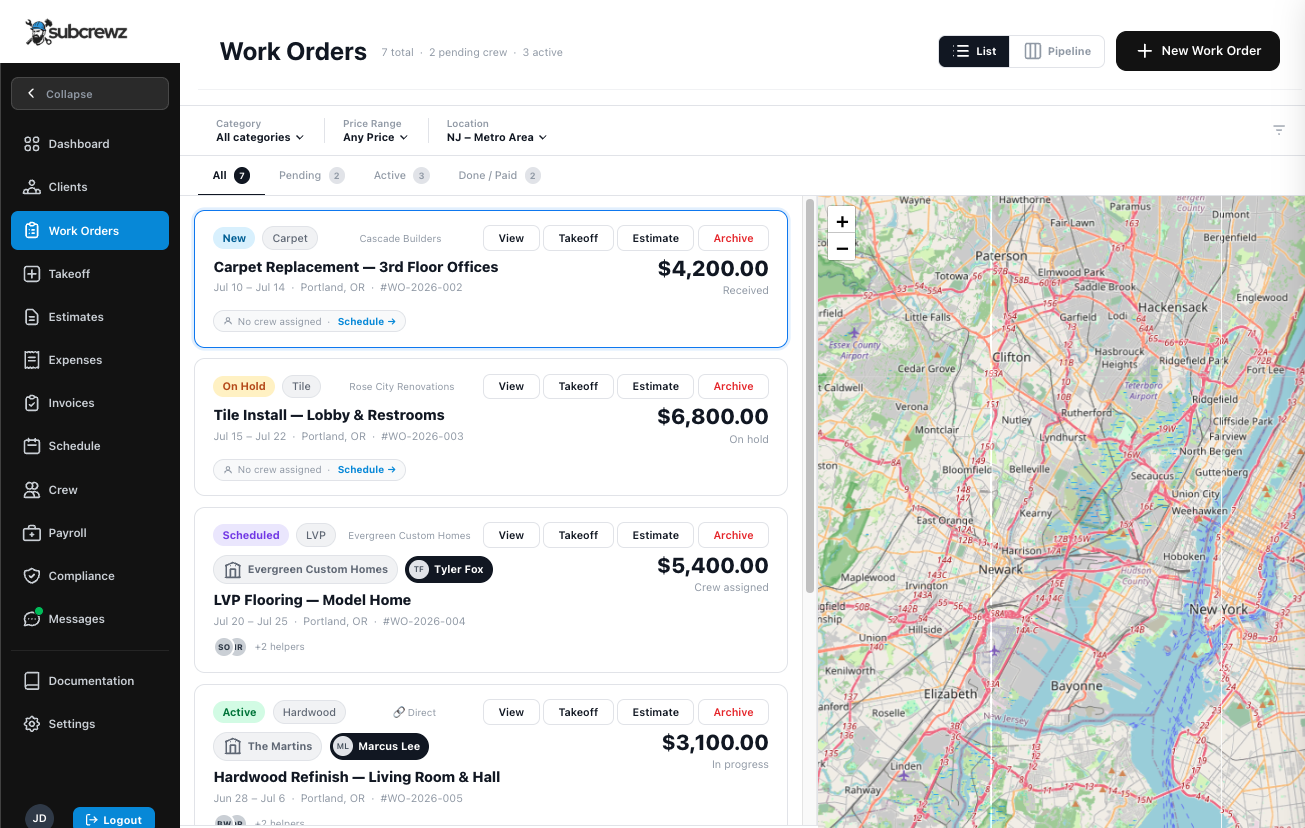
Pipeline View
See your whole business at a glance.
Switch to a Kanban board and watch every job move from new to paid. Totals per stage and crew assignment are visible right on the card — no clicking in to check status.
- Kanban board: New → On Hold → Scheduled → Active → Done → Paid
- Job count and dollar total per column
- Crew assigned shown directly on the card
- One click to switch between List and Pipeline views
- Color-coded status bars for instant scanning
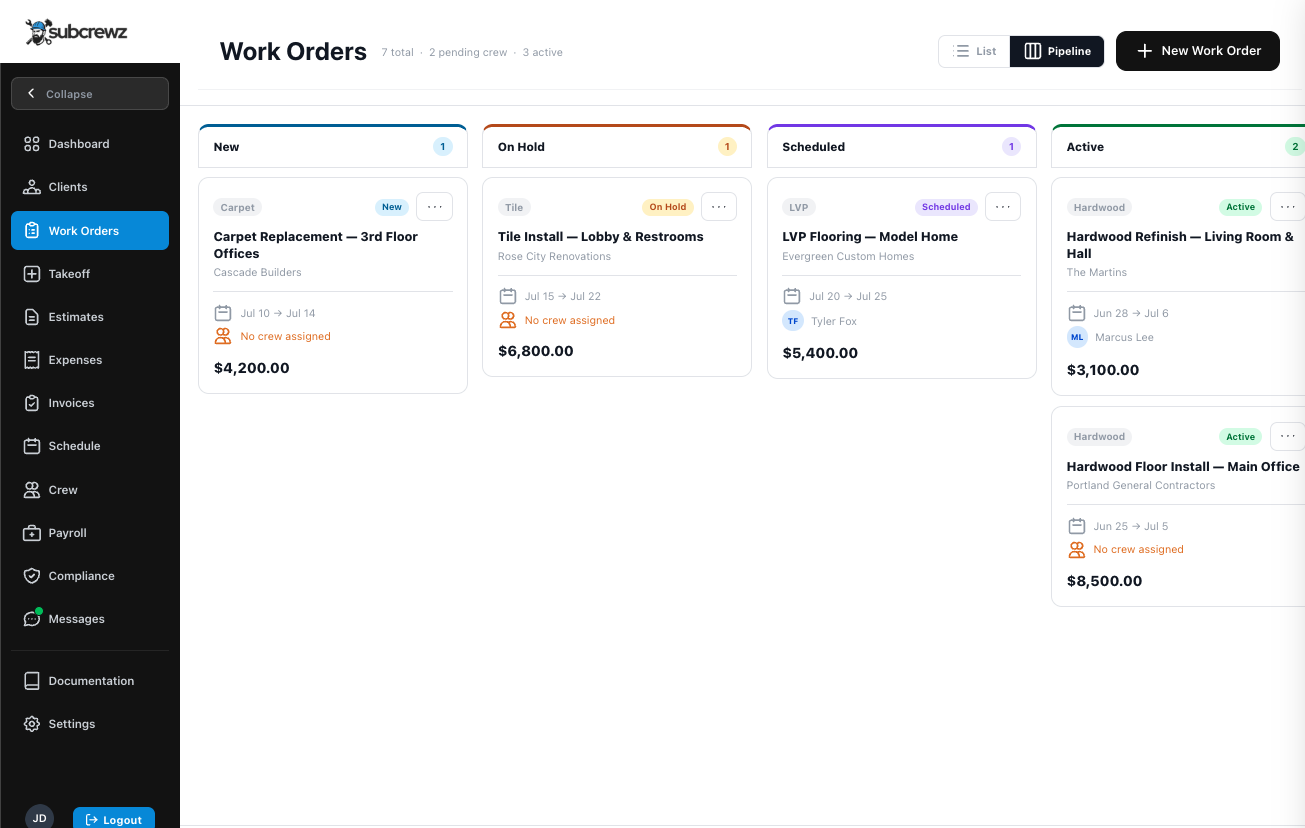
Crew Management
Know who's where. Know who's compliant.
Organize your crew into groups with designated leaders and helpers. Track individual compliance per worker and give field teams mobile access to their daily job.
- Crew groups: leader + helpers per work order
- Per-worker compliance tracking (ID, certification, insurance)
- Field access: crew log in and land straight on their job
- Worker profile: trade, states licensed, hire date, notes
- Promote/demote leader roles directly in the app
- "Compliant" badge visible at a glance on every crew card
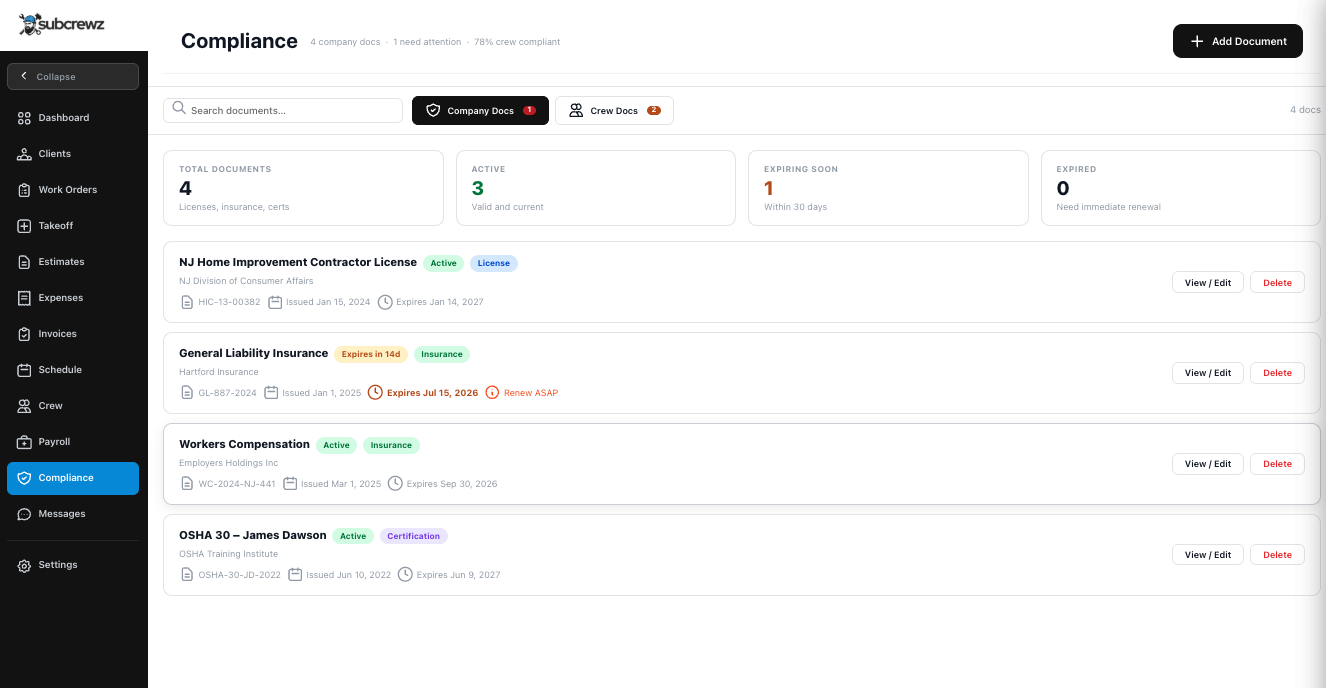
Compliance Documents
Stay compliant. Automatically.
Upload your company's COI, HIC license, W-9, and any other required documents. Subcrewz tracks every expiry date so you can see what's active, expiring soon, or already expired at a glance.
- Company docs: license, insurance, certification, permit
- Per-worker docs: ID, certification, workers' comp
- Status badges: Active · Expiring Soon · Expired
- Upload and replace docs without losing history
Invoicing
Professional invoices. Get paid faster.
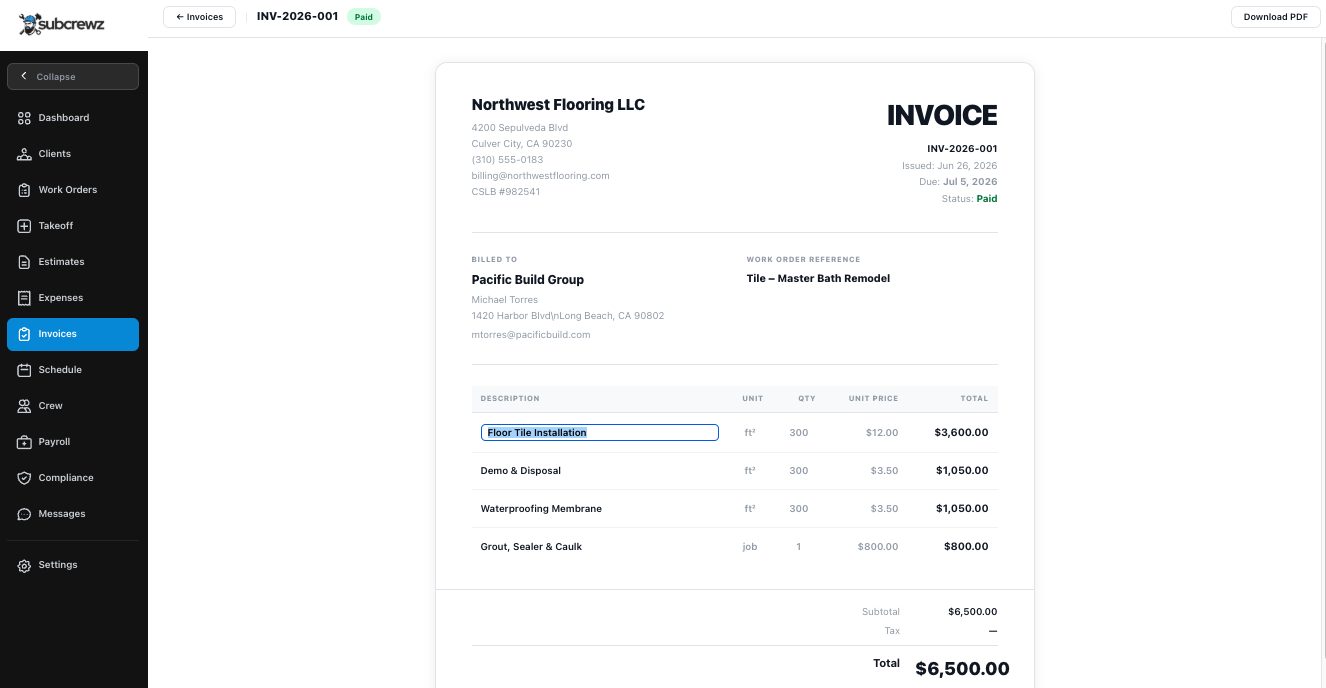
Create itemized invoices directly from your work orders with line items, tax, and due dates. Send to your GC for approval and track status in real time — no more back-and-forth email threads.
- Line items with description, quantity, unit, and price
- Tax percentage and automatic total calculation
- Link invoice to a work order and client
- Status tracking: Draft → Sent → Approved → Paid
- PDF export for your records
Scheduling
The full picture. At a glance.
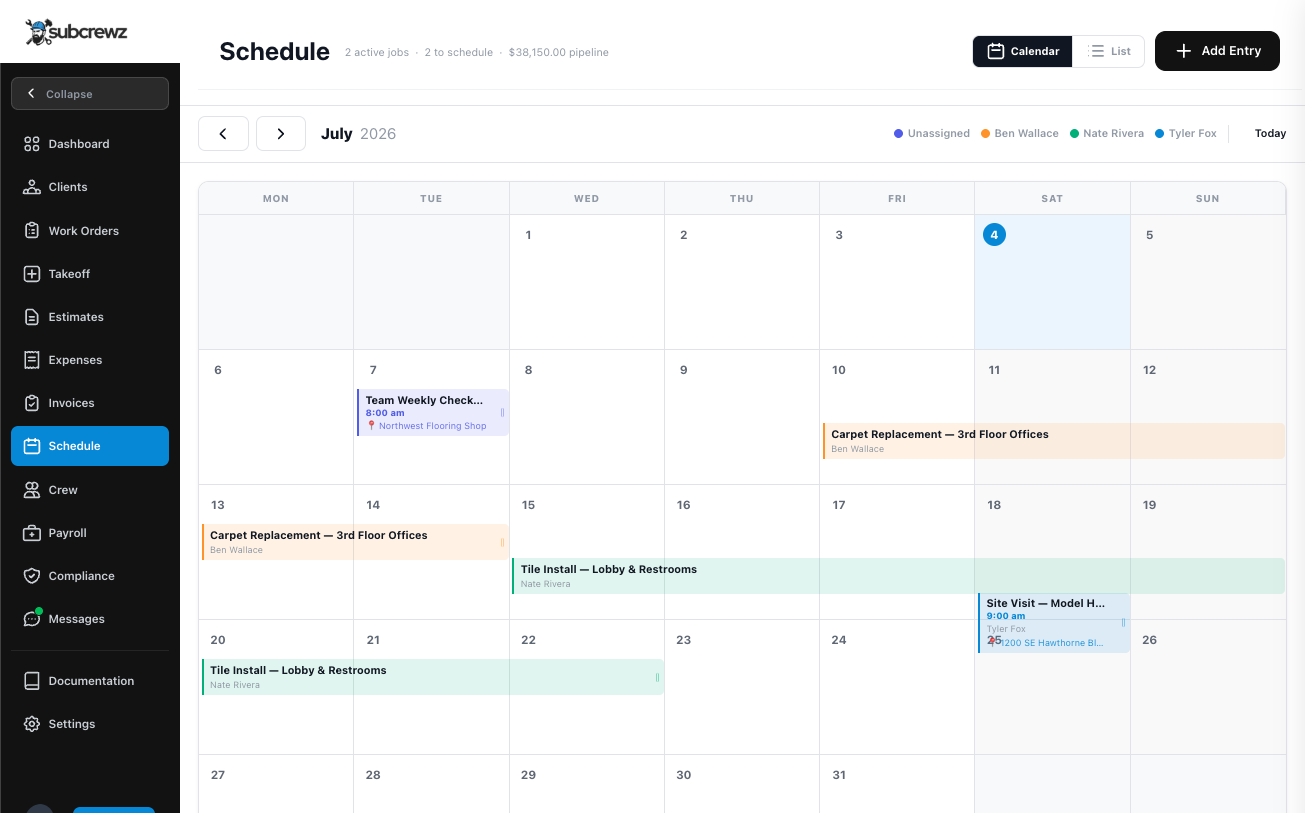
A visual calendar showing all your jobs and crew assignments. Drag events to reschedule, click to see job details, and tap GPS for one-touch navigation to the job site.
- Monthly, weekly, and agenda views
- Drag & drop to reschedule events
- Click to view job details, crew, and location
- One-tap GPS navigation to the job site
- Assign crew members to specific schedule entries
- Color-coded by work order status
Digital Takeoff
Measure from your phone. Bid with confidence.
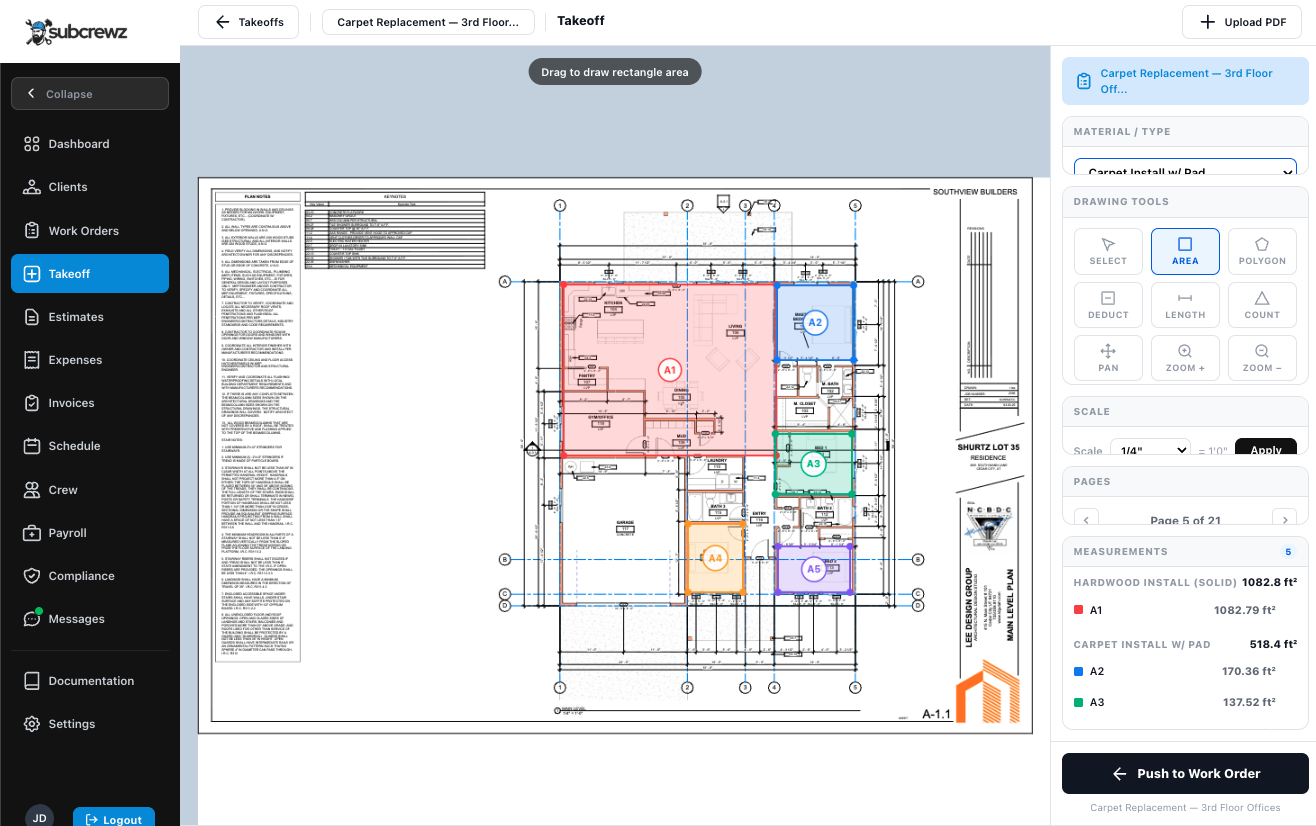
Upload blueprints or take photos of a space and measure room-by-room in seconds. Pull those measurements directly into your estimates — no more guessing, no more remeasuring on-site.
Other platforms charge $50–$200/mo just for this tool. It's included in Subcrewz Growth.
- Upload floor plans, PDFs, or site photos
- Measure square footage, linear feet, and perimeter
- Organize measurements by room or area
- Push measurements directly into estimates
- Reduce bidding errors and scope disputes
- Works on desktop and mobile
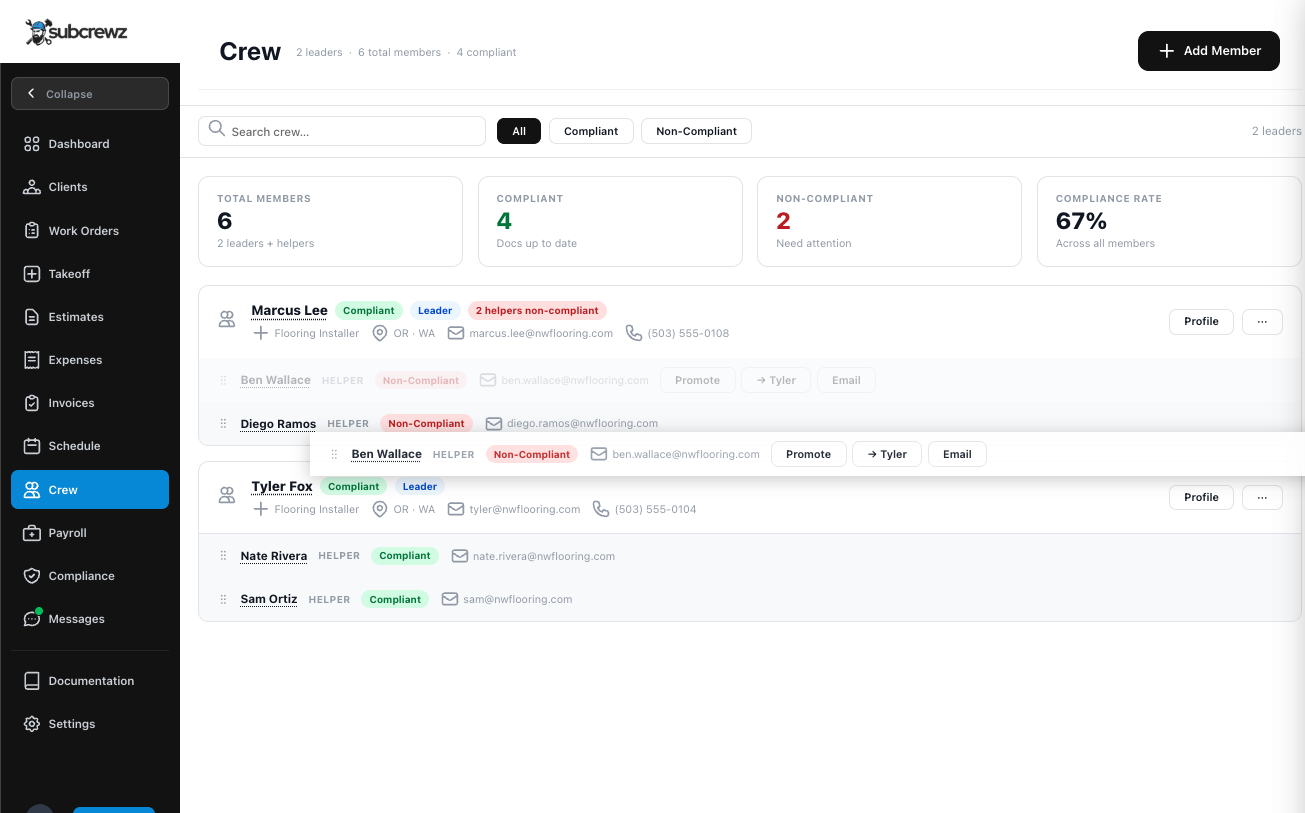
Estimates
Win more bids with professional proposals.
Build detailed estimates with line items from your saved price list. Mark it accepted the moment the job is awarded, then convert straight to an invoice in one click.
- Line-item estimates with your saved price list
- Track status: Draft → Sent → Accepted → Declined
- Convert an accepted estimate to invoice instantly
- Scope-of-work templates to build estimates faster